> ## Documentation Index
> Fetch the complete documentation index at: https://docs.daytalog.com/llms.txt
> Use this file to discover all available pages before exploring further.
# Create Templates
> Code editor for designing templates
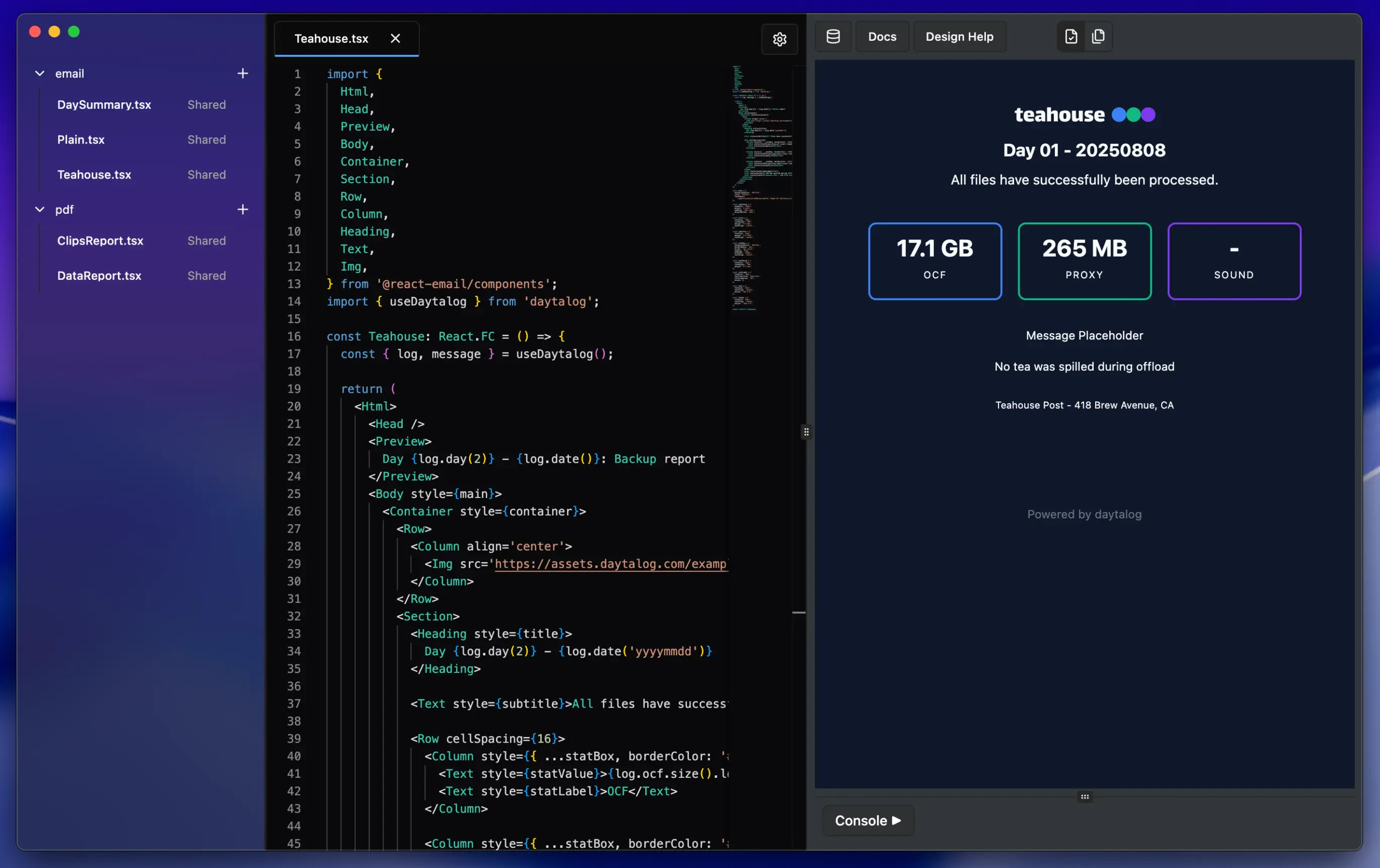 This app has a built-in code editor for designing templates.
Data from the project can be accessed with the [useDaytalog hook](/templates/data).
Learn more about creating templates in [Intro to templating](/templates/intro).
If you prefer creating templates in another IDE, you can use the [npm package](https://www.npmjs.com/package/daytalog) to get data from the project.
This app has a built-in code editor for designing templates.
Data from the project can be accessed with the [useDaytalog hook](/templates/data).
Learn more about creating templates in [Intro to templating](/templates/intro).
If you prefer creating templates in another IDE, you can use the [npm package](https://www.npmjs.com/package/daytalog) to get data from the project.